PANDAS Care Portal™ · Generally available
A full EHR for small practices, with the family's record inside the chart
Charts, clinical notes, treatment plans, scheduling, forms, billing and telehealth in one HIPAA-aligned workspace, at pandascare.clinic. When a family shares their PANDAS Tracker™ record, it arrives in the chart labeled with its source, next to what you write, never mixed into it.
Request a live demo Sign in to the portal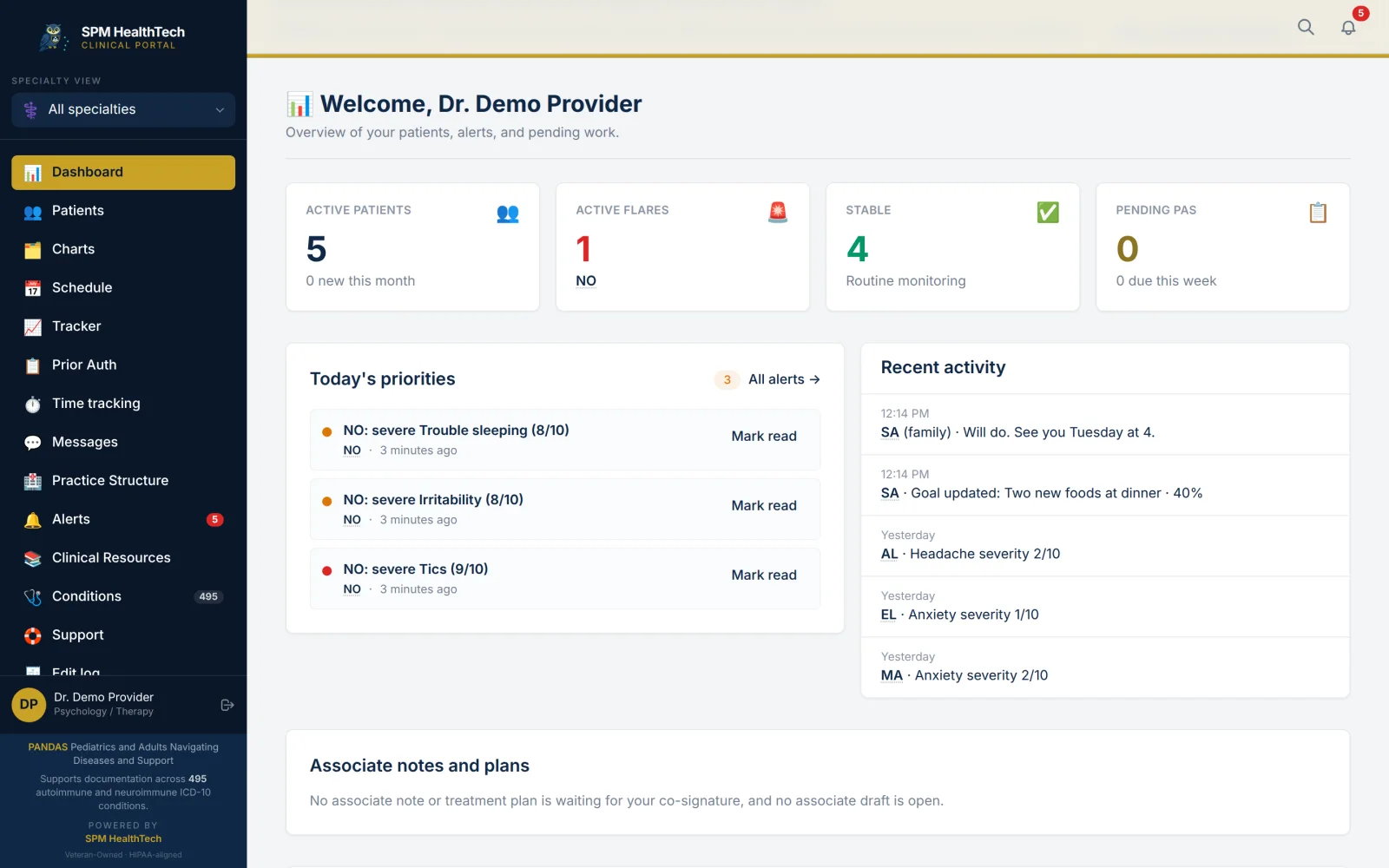
The PANDAS Care Portal supports 25 specialties, including primary care, pediatrics, neurology, psychiatry, immunology, infectious disease and rheumatology. Our PANS and PANDAS roots are a starting point, not a limit on the patients your practice can support. An ICD-10-aligned directory covers 495 conditions. Clinicians can also enter diagnoses by hand, so a patient's record is not limited to the directory. Patients and families can track other symptoms, treatments and day-to-day concerns alongside a primary diagnosis, including rare and underserved conditions.
- Specialties
- 25
- Practice roles
- 7
- Conditions in the condition directory
- 495
- Workspace for the whole practice
- 1
The family's record, inside the chart
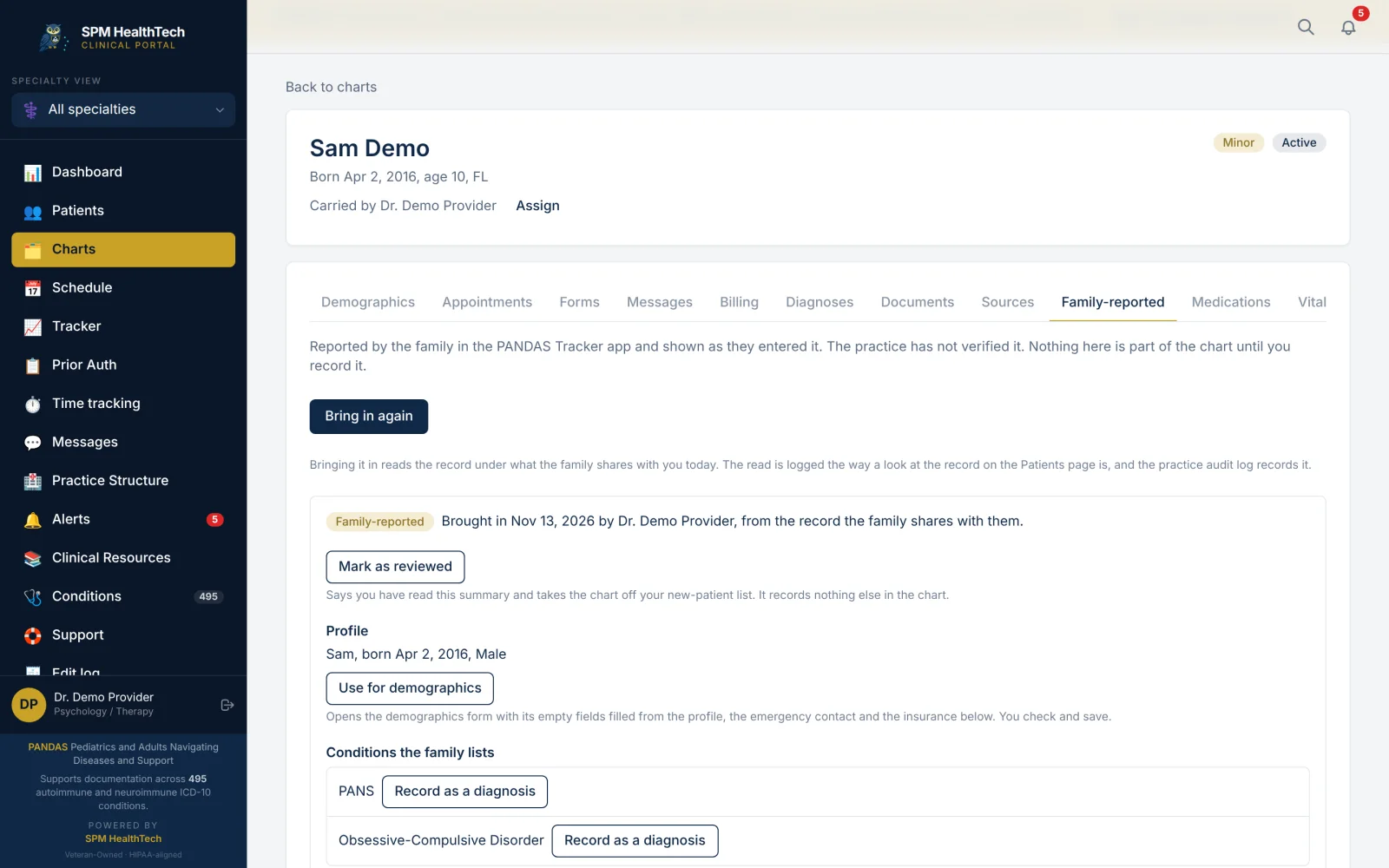
A family's account stays its own, alongside the clinical record you author.
- The family shares their PANDAS Tracker record with your practice. They choose what to share and can end it at any time.
- They wait in your New patients list until you start a chart.
- Start the chart filled in from what they shared, then check each field.
- Symptoms, treatments, IVIG courses, labs and Epic records appear read-only, labeled by source.
The portal does not score or interpret what a family logs. You do the interpreting, and you stay the author of record.
Charts and clinical documentation
Complete charts.
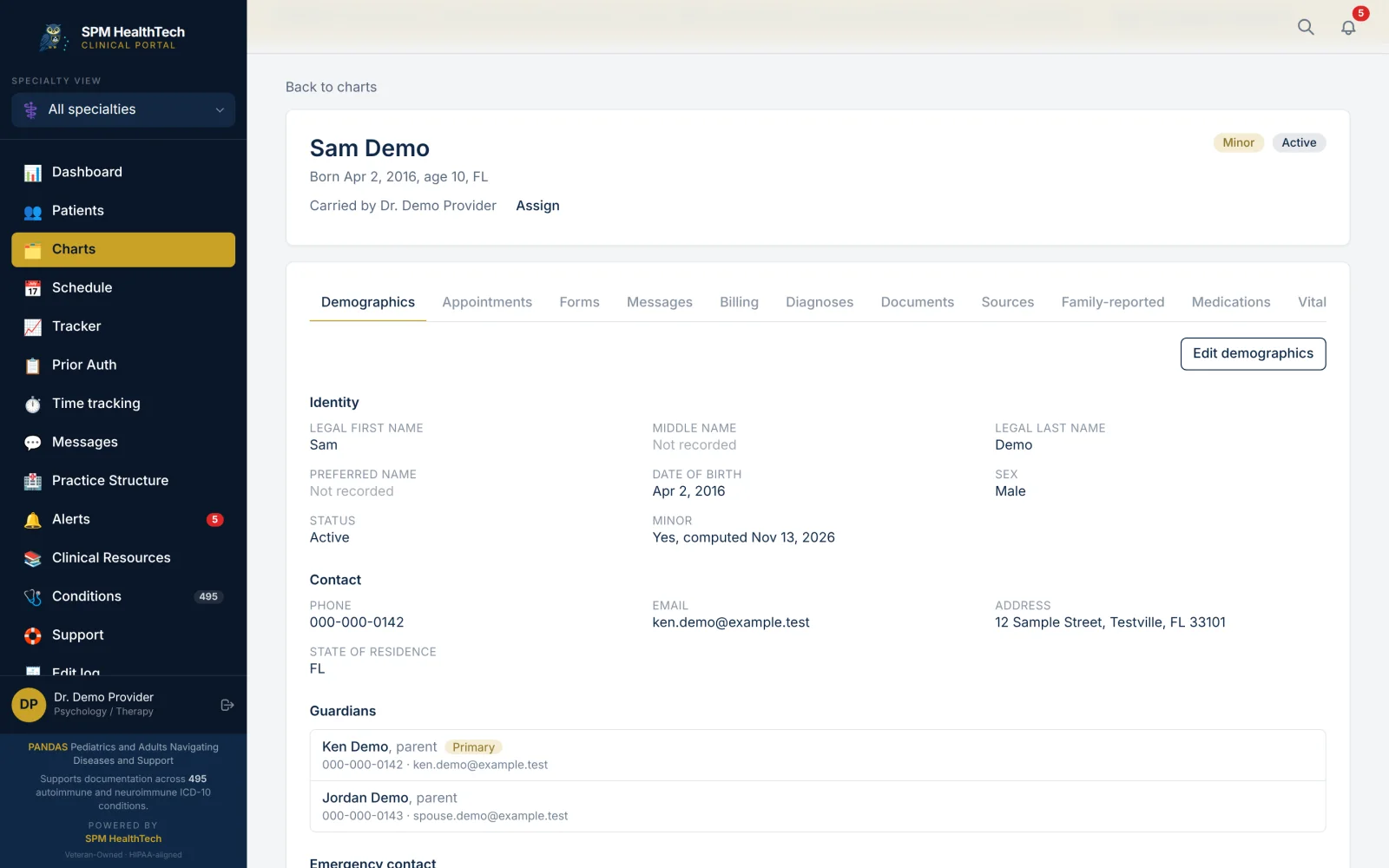
Demographics, guardians, insurance, allergies, vitals, diagnoses and documents, with a tab for each part.
Diagnoses.
ICD-10 codes from the condition directory or typed by hand, each with a status and an onset date.
Notes that stay true.
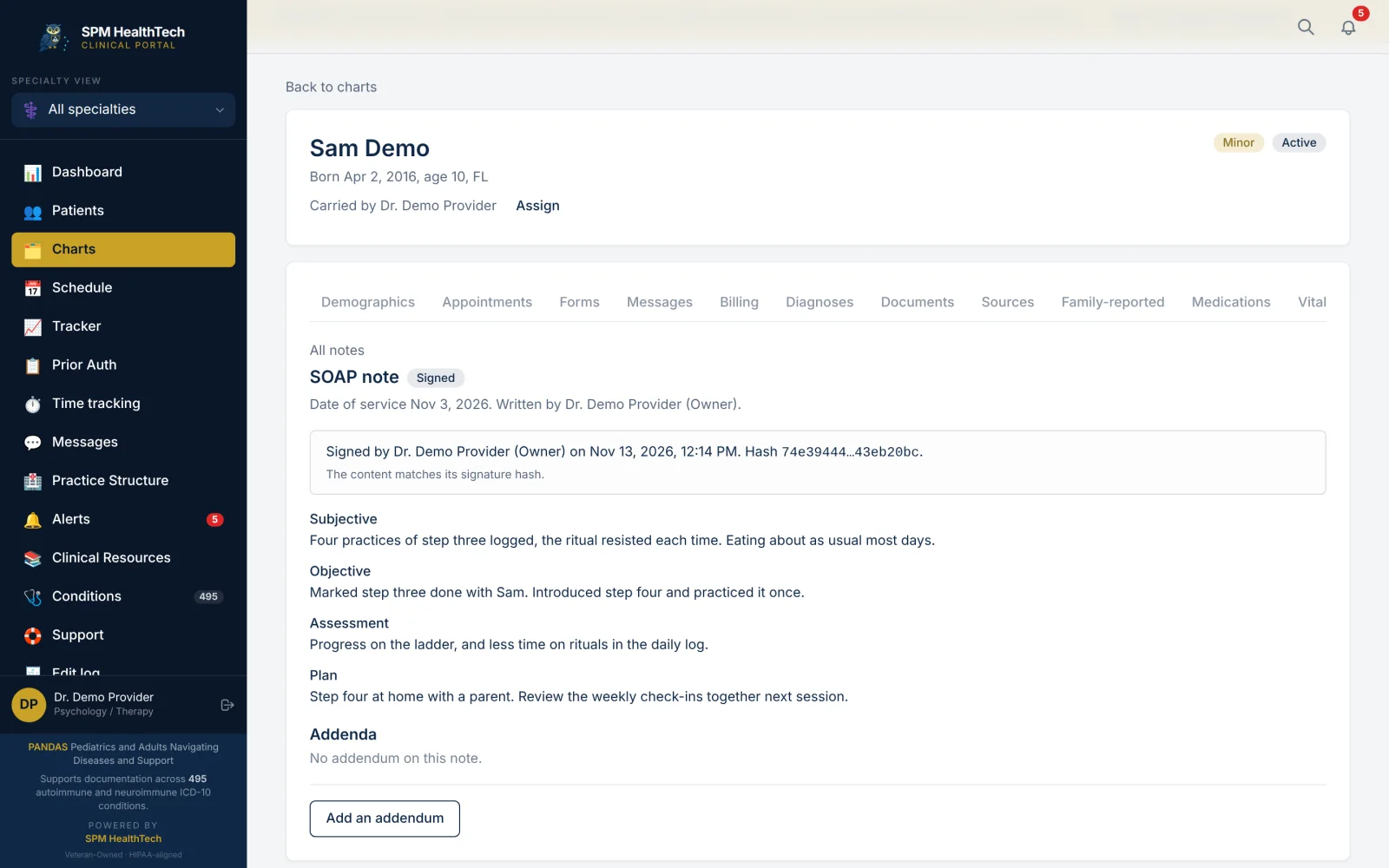
SOAP, DAP, BIRP, intake assessment and discharge summary templates, or your own copies. A signed note is locked, and a correction is an addendum to it.
Supervision.
An associate's notes go to a supervisor to co-sign. Notes waiting for a signature and plans due for review sit on the dashboard.
Treatment plans.
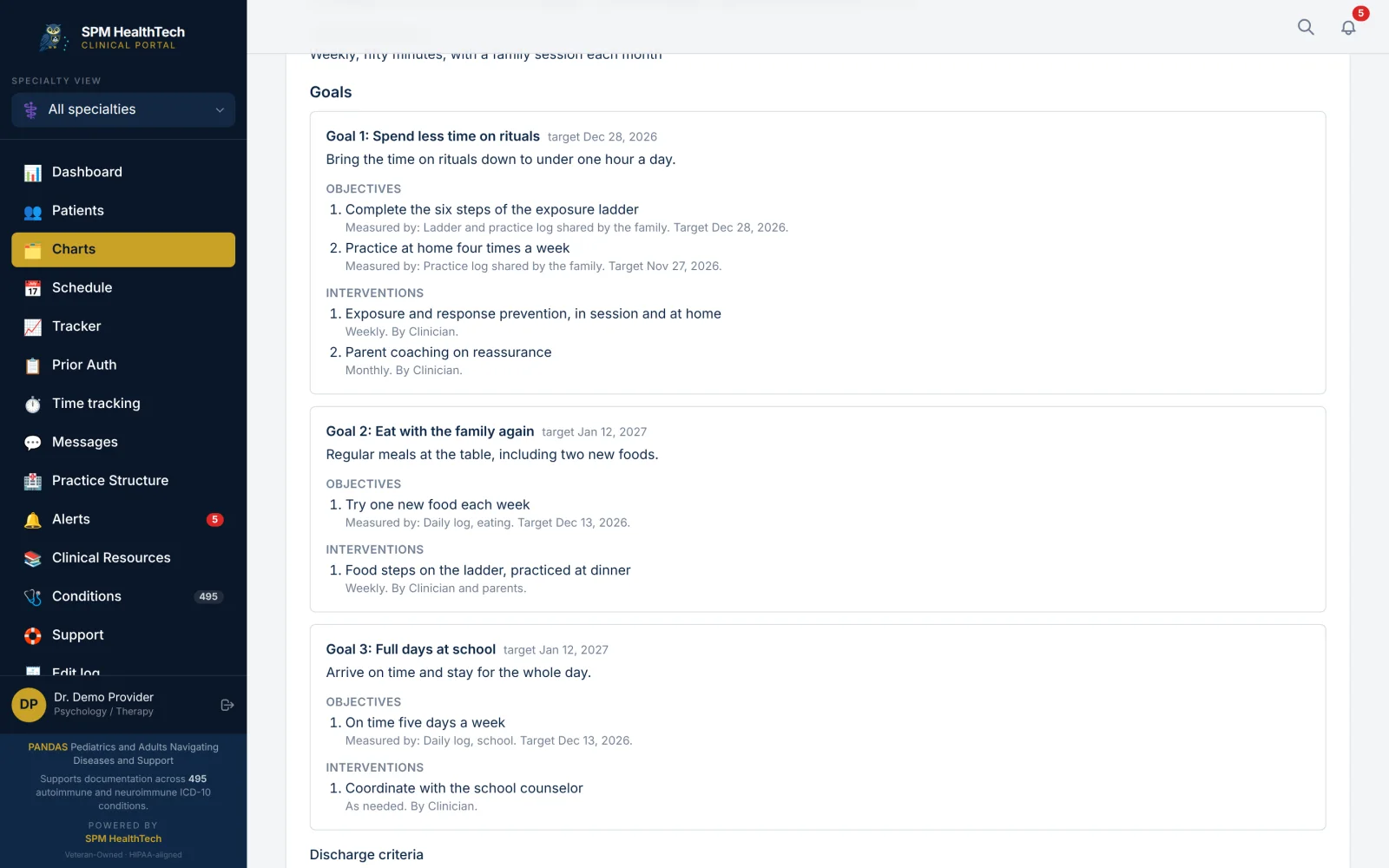
Goals, objectives with a measure and a target date, interventions, discharge criteria, a review date and the client's signature. A revision keeps the signed plan on record.
Psychotherapy notes, kept apart.
Stored apart from the chart and left out of chart exports. Only the author reads them, unless the author shares with a named colleague.
Measures.
Record the total of a scale you gave with your own licensed copy and see the trend. The portal keeps the name and the number, and nothing more.
Nothing is deleted.
An entry made in error is marked, with a reason, and stays on the record.
OCD & Food, in your chart
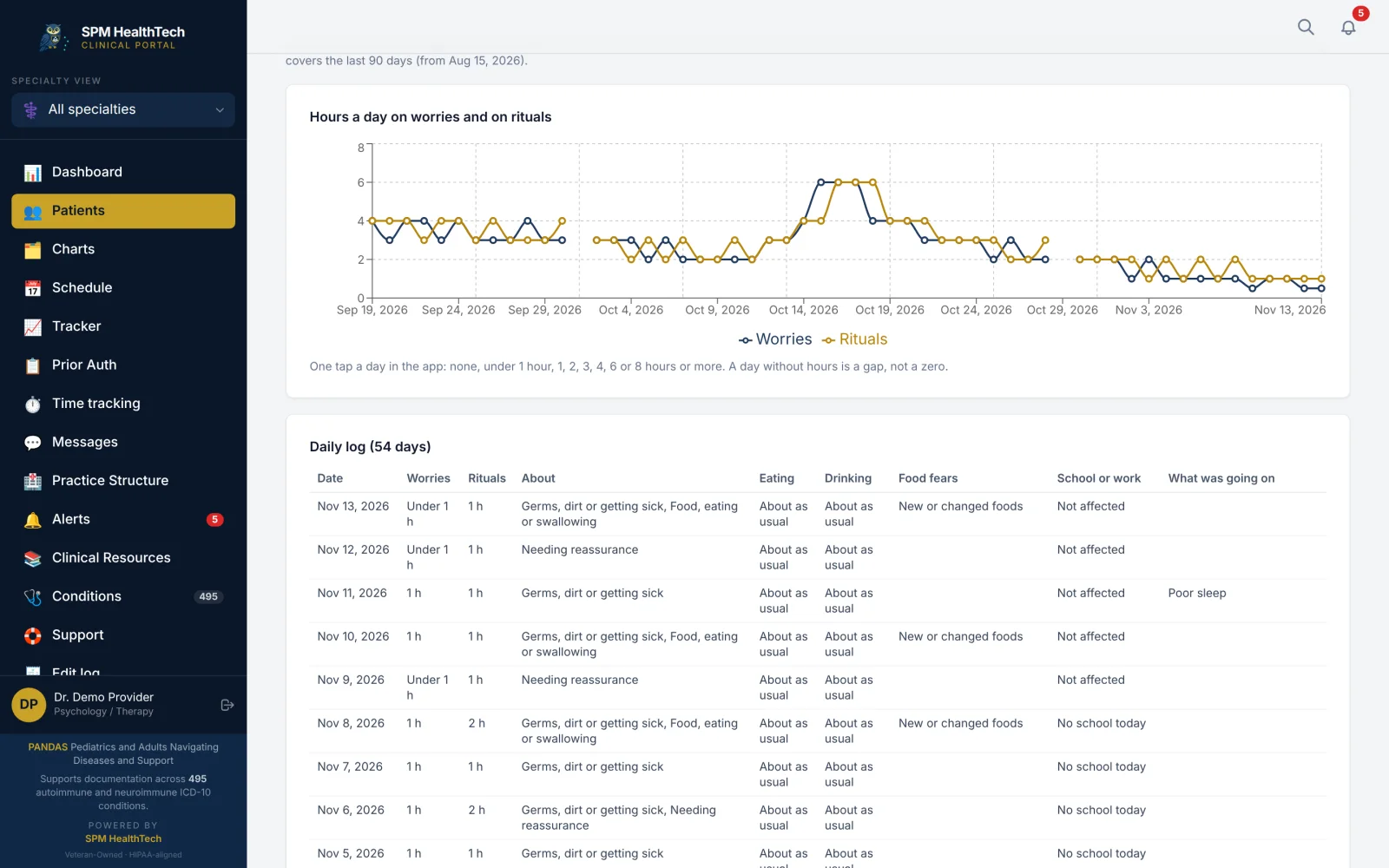
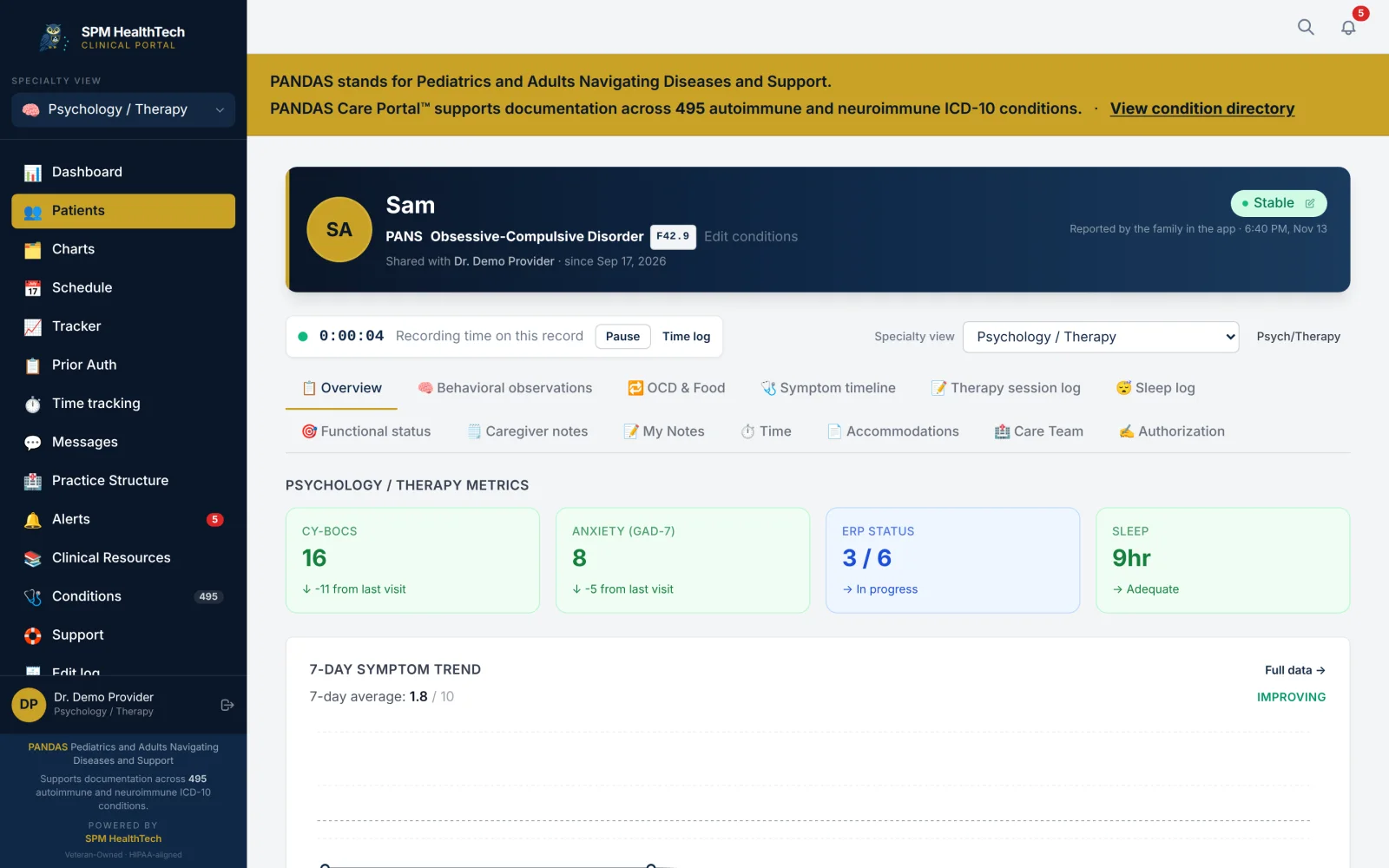
When a family shares OCD & Food, you see their hours on worries and rituals day by day, their daily log, their weekly check-ins side by side, the exposure ladder you set together and each ERP practice. It is read-only and in the family's own words. Nothing is added up and nothing is labeled.
You set the plan. The family keeps the record.
School plans, written by the care team
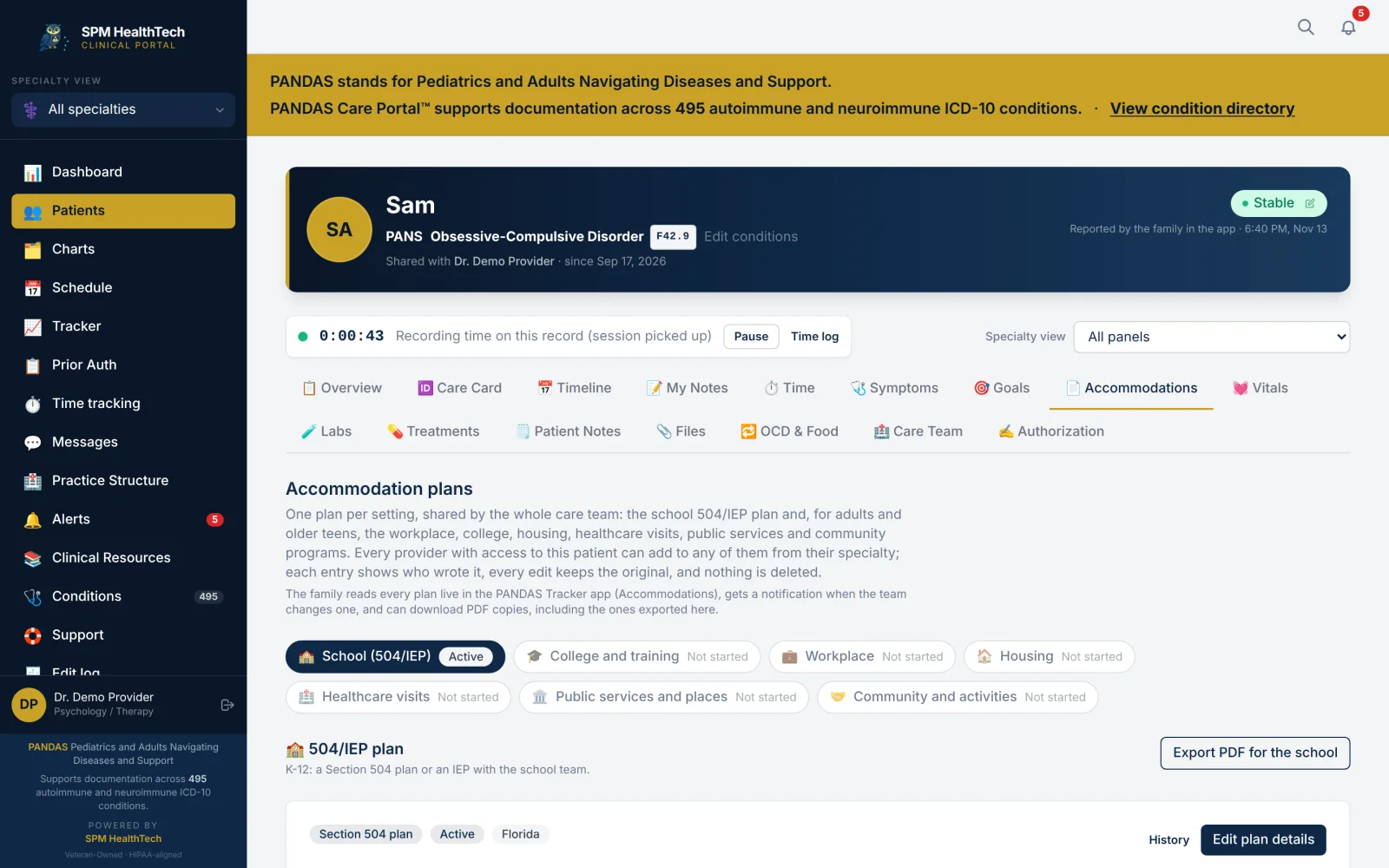
Write the 504 or IEP plan with the rest of the care team. Each provider adds what their specialty can justify, and every entry shows who wrote it. The family reads it in their app, and a PDF can be exported for the school. Adults get a plan per setting: college, workplace, housing, healthcare visits and public services.
The front office
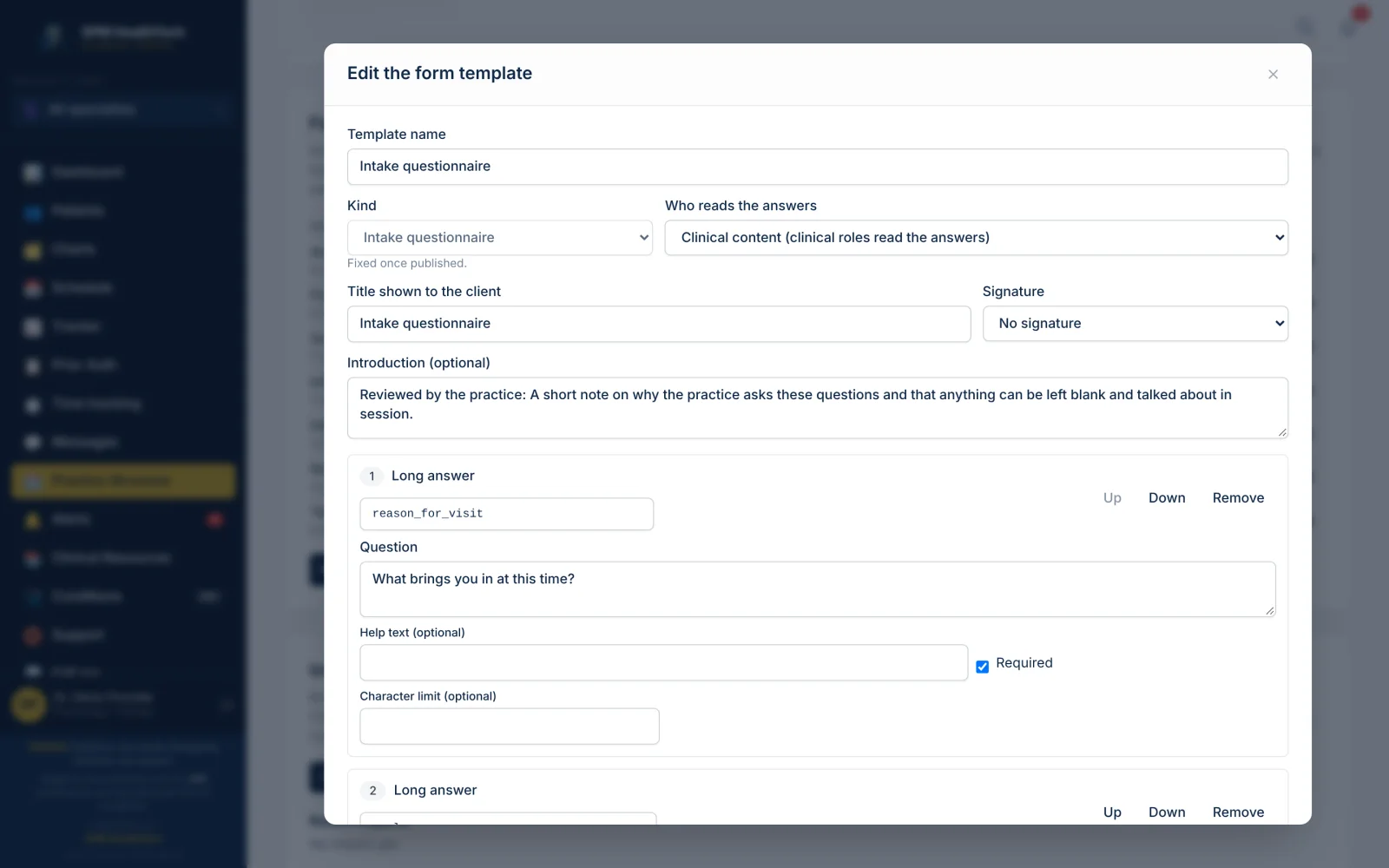
Forms and consents.
A starter library of seven templates to adapt: intake, consents, release of information, privacy notice and financial policy. Templates are published as numbered versions, and each form keeps the version it was sent with.
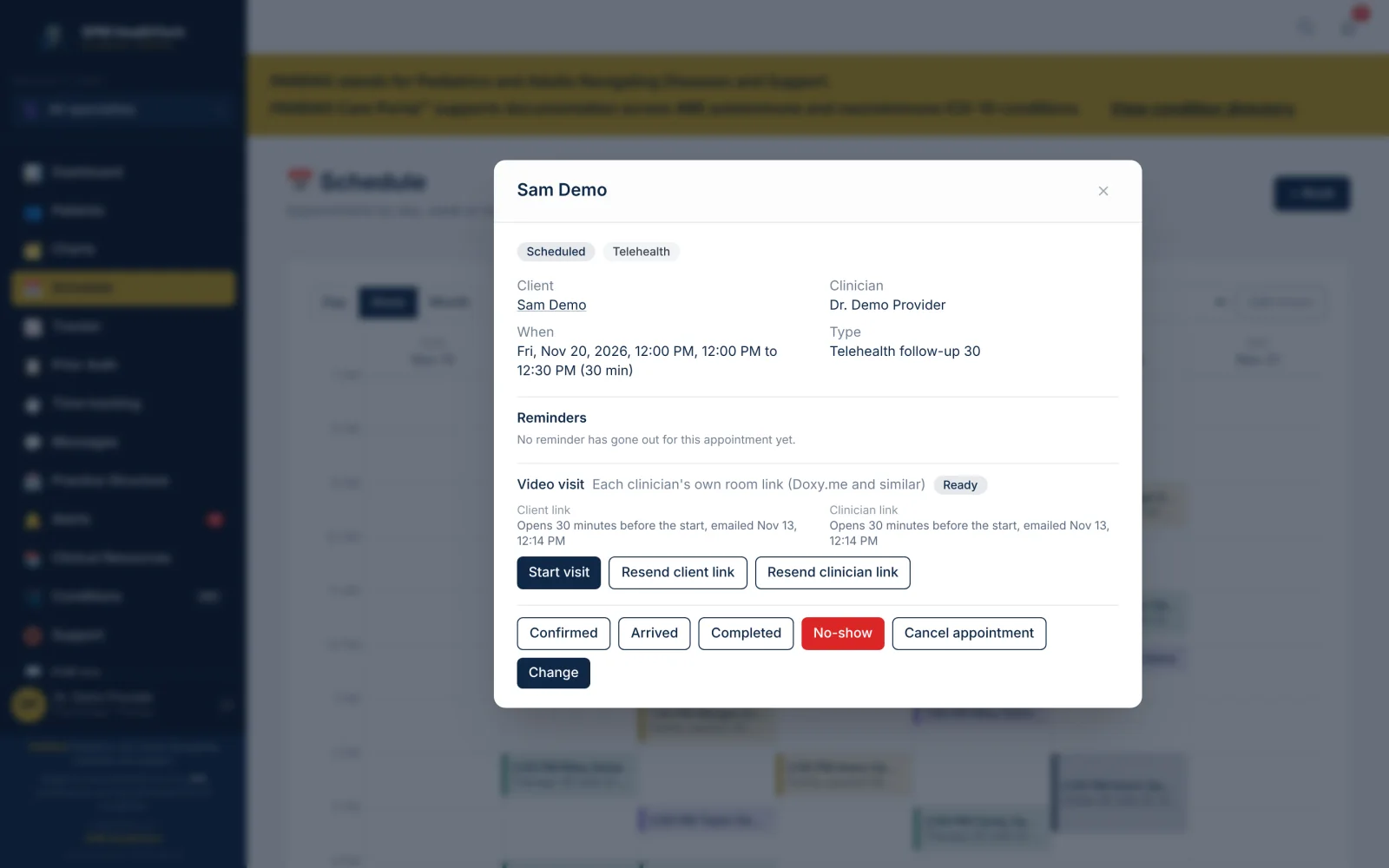
Scheduling.
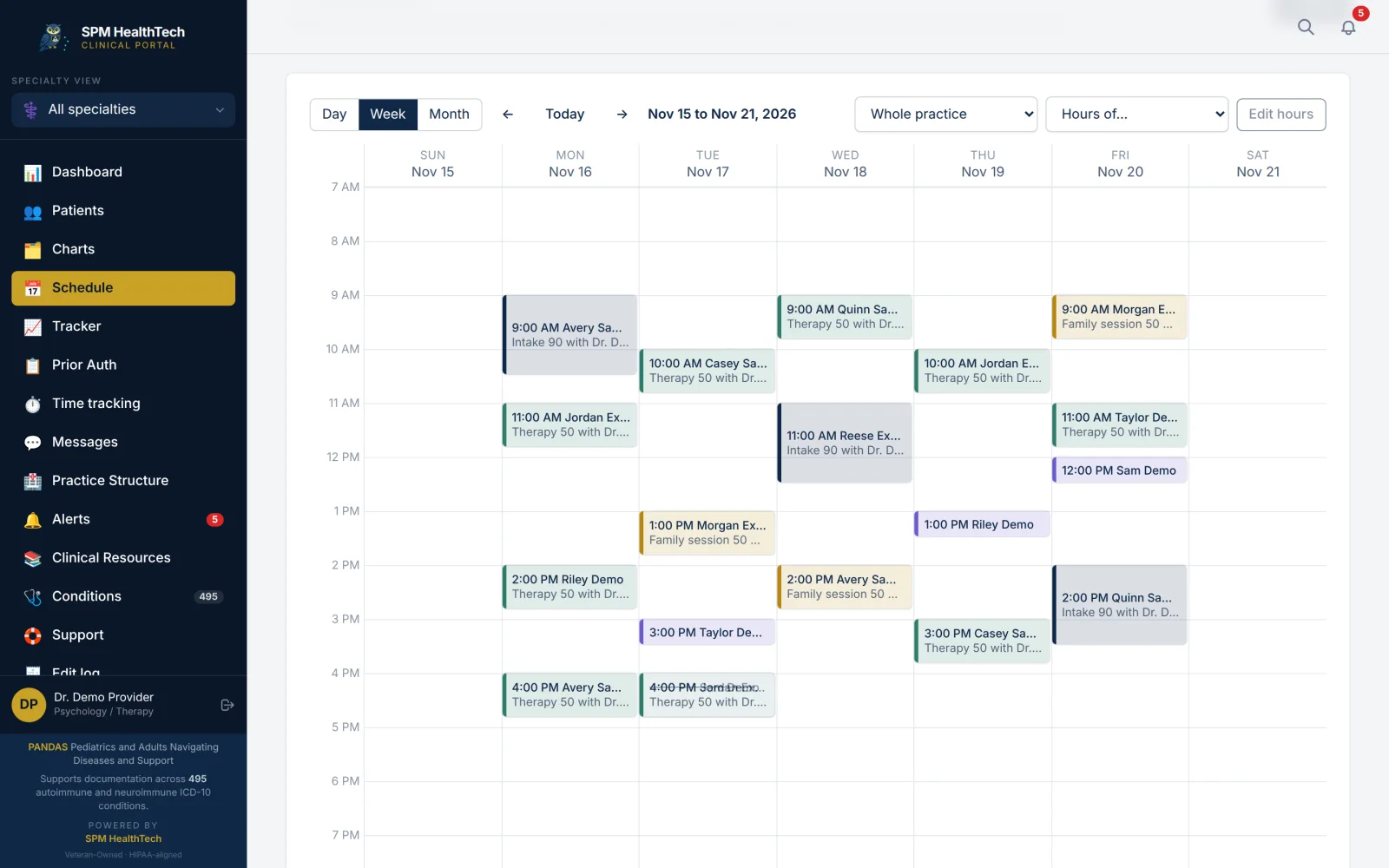
Day, week and month views for the whole practice or one clinician, weekly series, appointment types, rooms and practice hours, with email reminders.
Telehealth.
Video by room link, a link you paste or your practice's own Zoom account. Consent is recorded at every visit, and the client's location is compared with the clinician's license state.
Billing
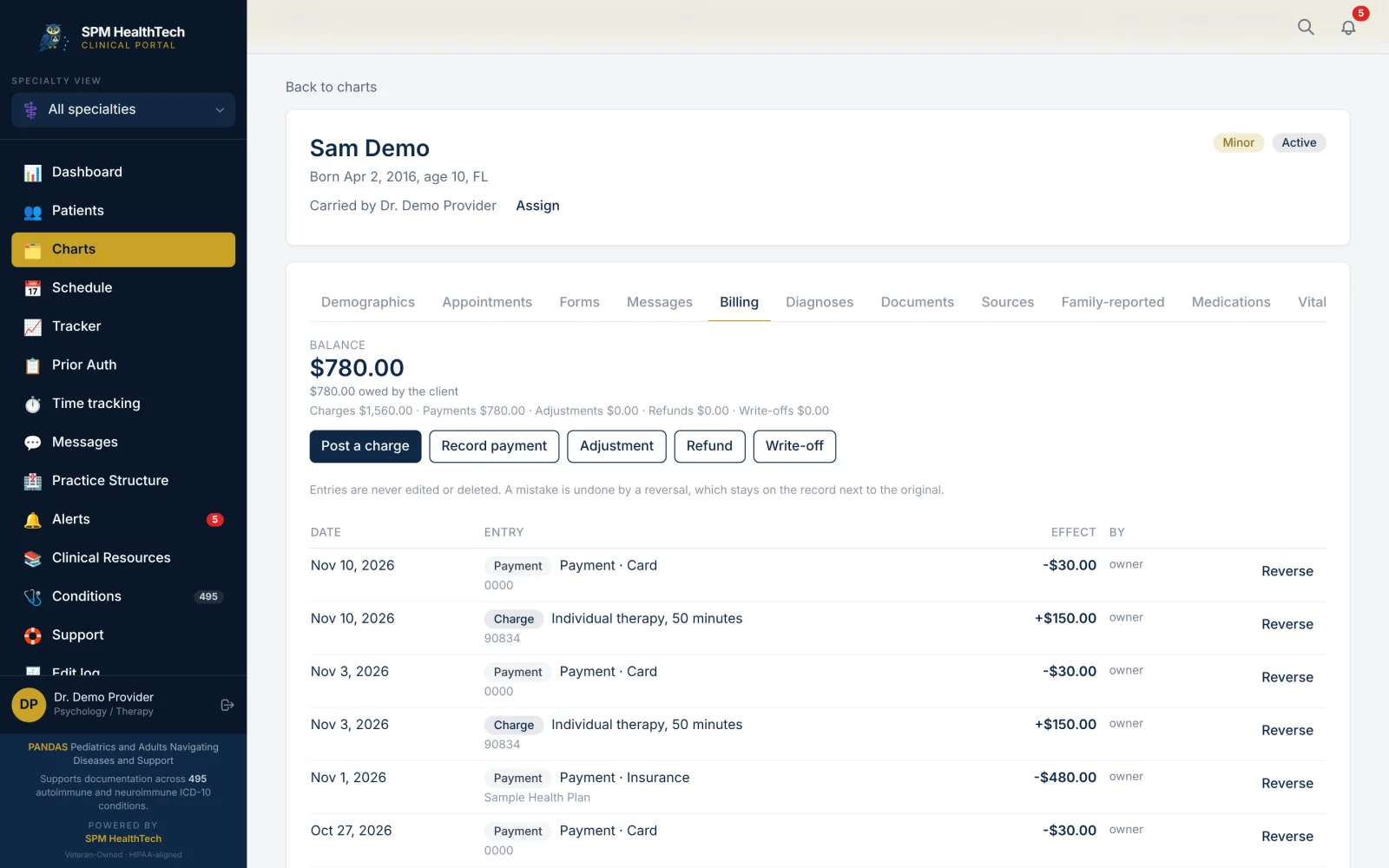
The client ledger.
Post a charge with a billing code. Record payments, adjustments, refunds and write-offs. A mistake is undone by a reversal that stays on the record.
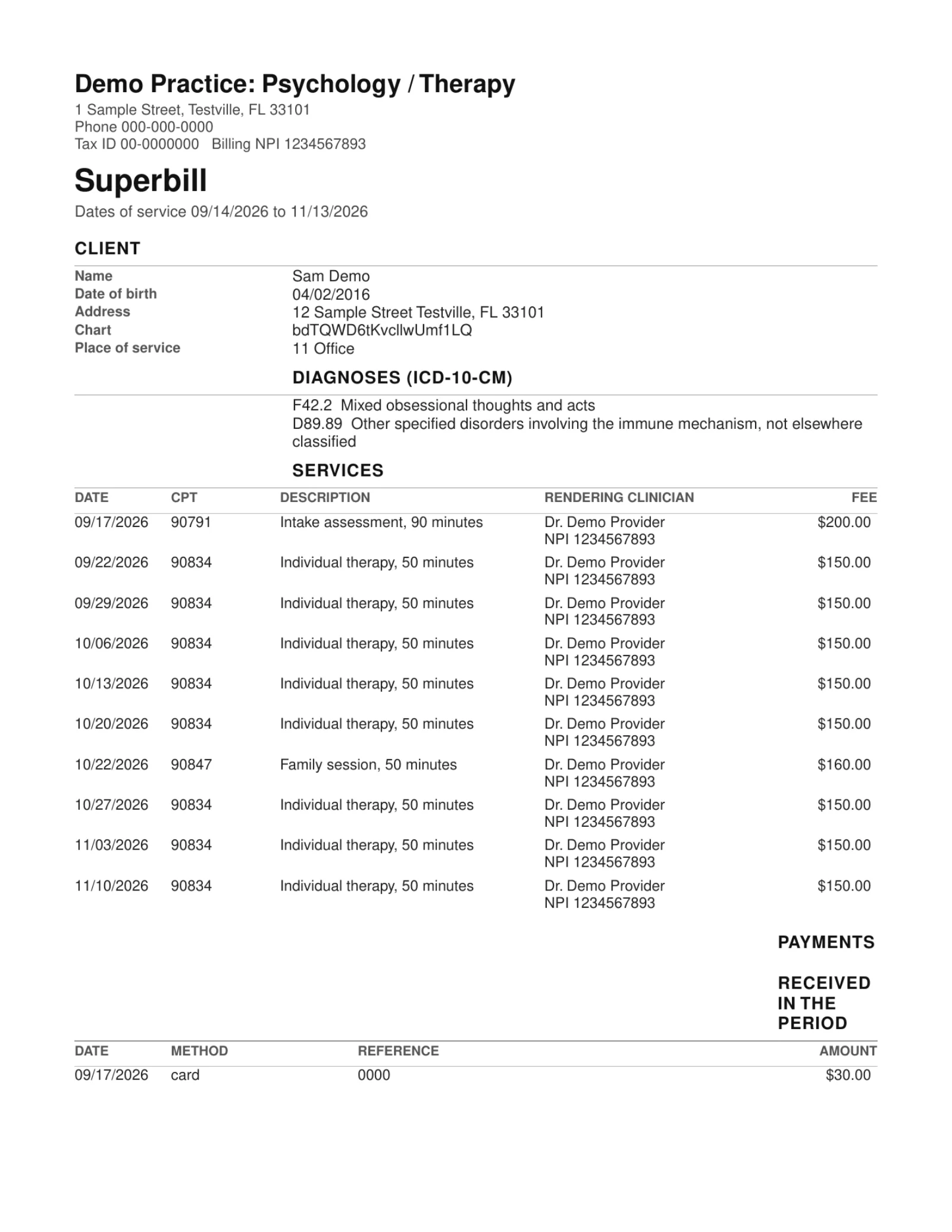
Superbills and statements.
A period's charges with the diagnosis and billing codes for the client's insurer, and a statement for the client.
Prior authorizations.
Follow each prior authorization and its deadline. Attach lab results, symptom entries, treatments and your own notes from the family's shared record, add documents, and export the packet.
The portal assembles what you documented. You stay the author.
Your team and your records
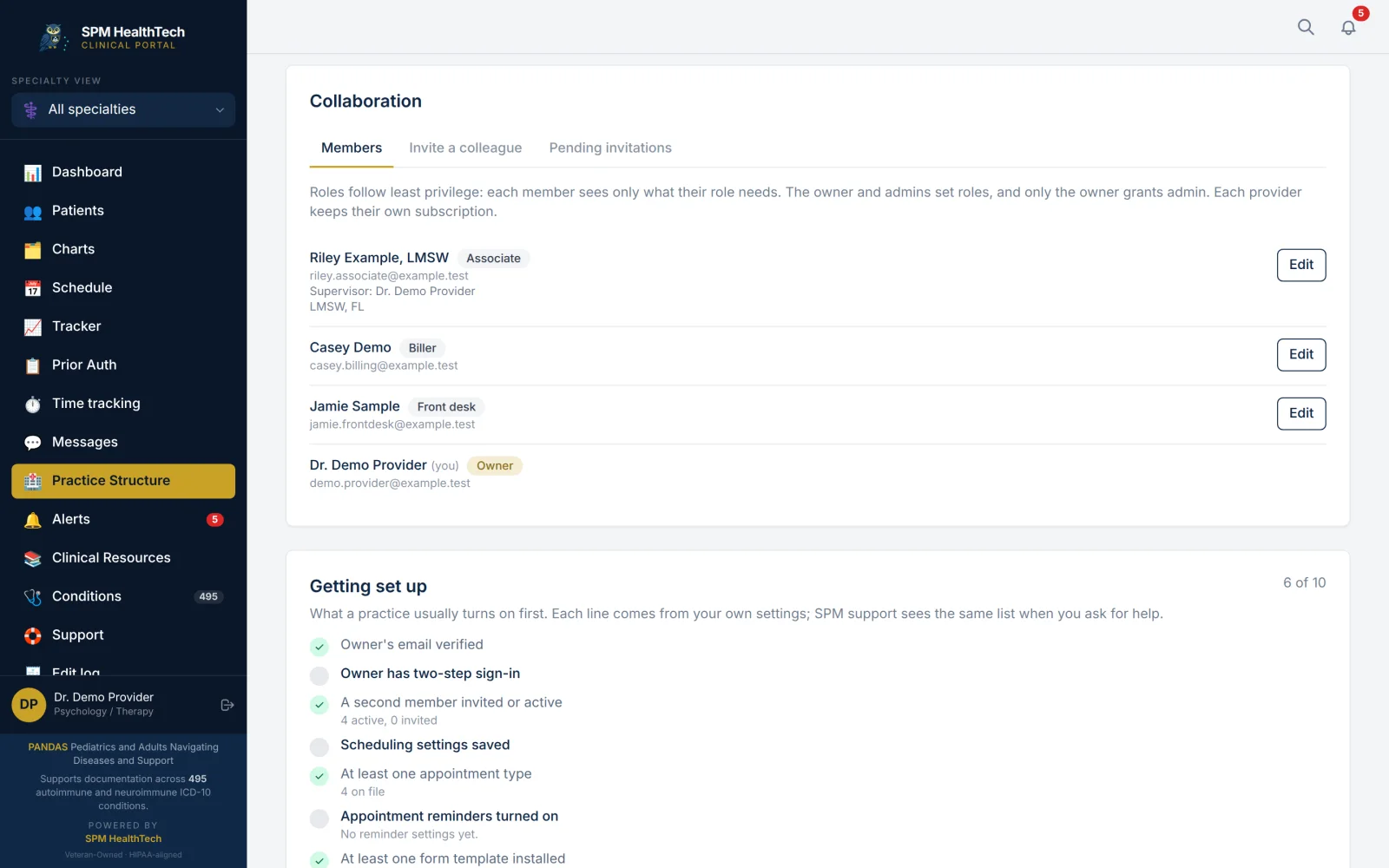
Seven roles.
Owner, admin, clinician, supervisor, associate, front desk and biller. Each role sees and does only what it needs, and each chart is carried by the clinicians assigned to it.
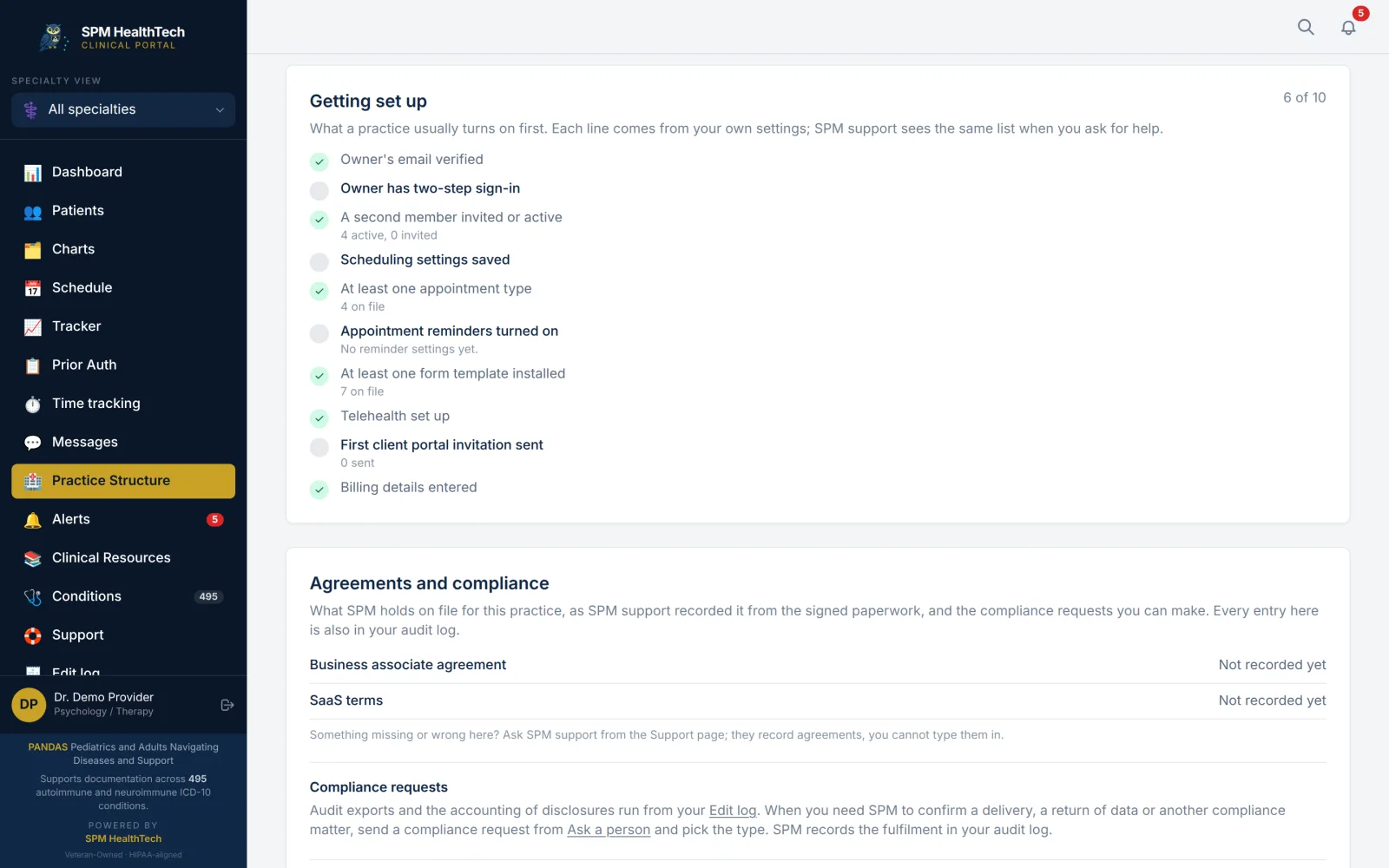
A getting-set-up checklist.
Ten steps, from a verified email and two-step sign-in to forms, telehealth and billing details.
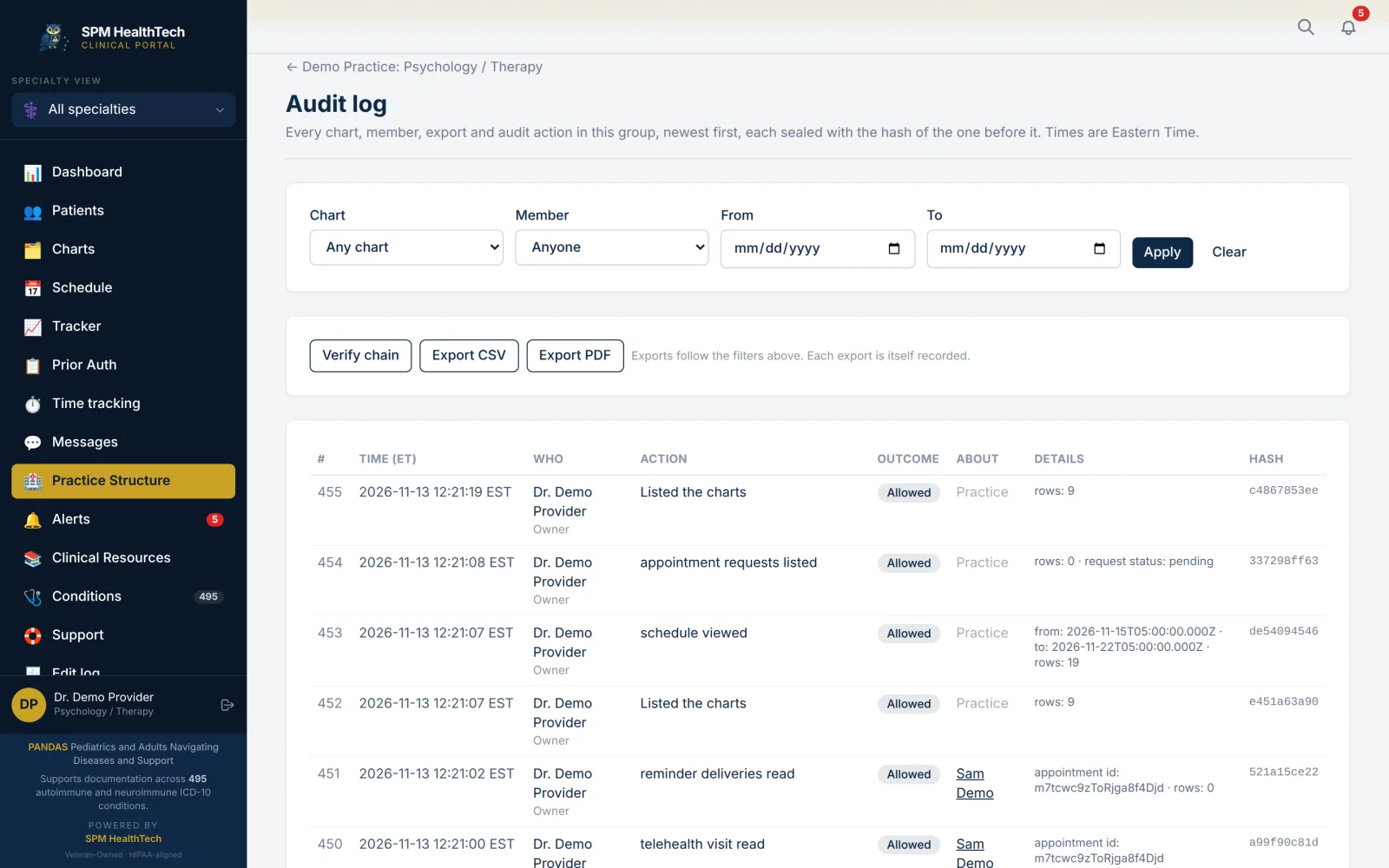
A sealed audit trail.
Chart reads, changes, exports and member actions, with who and when. Each entry is sealed with the one before it, and the chain can be verified.
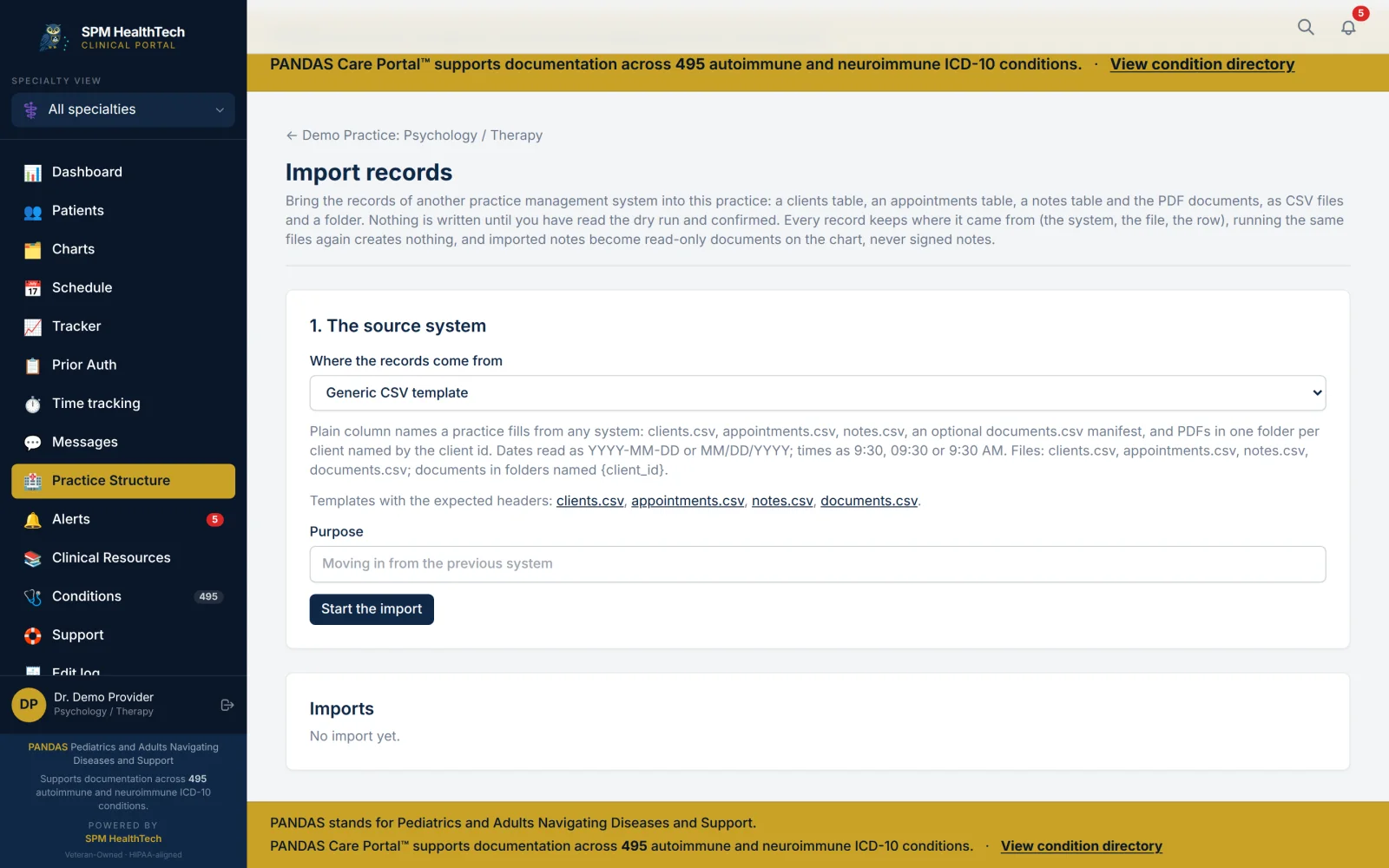
Records in and out.
Bring in clients, appointments, notes and documents from another system, with a dry run first. Export a chart as a PDF and as a C-CDA document.
Messages.
Secure messages with the families who share with you.
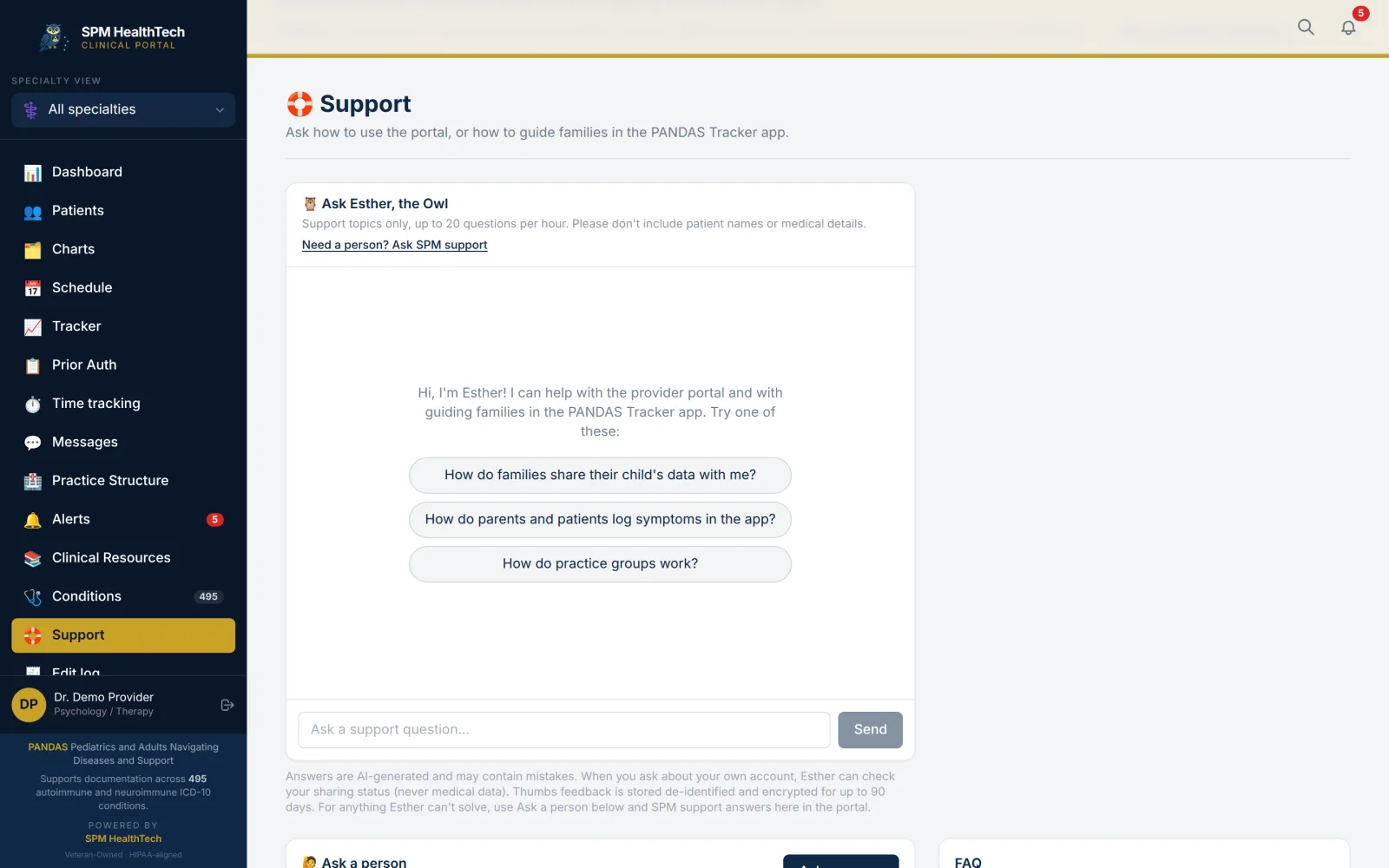
Esther and the support team.
Esther answers staff questions about using the portal, and Ask a person reaches SPM support.
A view for each specialty
The same shared record, presented for the work each clinician does.
- Psychology and Therapy
- Psychiatry
- Pediatrics and Primary Care
- Immunology
- Neurology
- Infectious Disease
- Occupational Therapy
- School Counseling
- Integrative Medicine
- Nutrition and Dietetics
- Rheumatology
- Gastroenterology
- Endocrinology
- Speech-Language Pathology
- Physical Therapy
- ENT
- Developmental-Behavioral Pediatrics
- Nursing and Care Coordination
- Dermatology
- Allergy
- Social Work and Case Management
- Sleep Medicine
- Genetics
- Hypnotherapy
- Infusion Nursing and Home Health
Security and privacy, built in
A clear, role-based workspace for practice records and family sharing.
- Built to be HIPAA-aligned, with AES-256 encryption at rest and TLS in transit.
- Two-step sign-in and automatic sign-out.
- Each role sees only what it needs.
- Emergency access records its reason.
- Emails say only that something is waiting, never what it is.
- Families control sharing and can end it at any time.
What is live and what comes next
Live today
- Charts, notes and treatment plans
- Psychotherapy notes and measures
- Scheduling, forms and telehealth
- Ledger, superbills, statements and prior authorizations
- The family's shared record, OCD & Food included
Built, switching on soon
- The client portal for clients and guardians: visits, forms, messages and online booking
- Electronic signatures on forms
- Good Faith Estimates
- Electronic claims and text reminders
- E-prescribing
On the roadmap
- Card payments on file
- Claims through a clearinghouse
- SPM-hosted video visits
- Fee schedules
- More connections to health record networks
Items switch on as each partner agreement and review is completed. We confirm timing with each practice.
Getting started
- A live demo for your team, on our fictional demo practice.
- Agreements: a Business Associate Agreement and the service terms.
- Set up roles and members with the getting-set-up checklist.
- Bring records in. Every import runs as a dry run first.
- Invite families to share from PANDAS Tracker.
The Care Portal is generally available. Your team can explore it on the demo practice now. Client data comes in once the agreements are signed and our go-live review is complete, and we set the start date together.
Questions from practices
- Is the Care Portal available now?
- The Care Portal is generally available. Your team can explore the demo practice today. Client data comes in once the agreements are signed and our go-live review is complete.
- Do our clients have to use PANDAS Tracker?
- No. Charts are your practice's own records, and you can bring clients in from another system. When a family does share their PANDAS Tracker record, it appears in the chart, read-only and labeled by source.
- Does the portal score or interpret what families log?
- No. It shows what the family logged, in their words, and draws no conclusion from it.
- Is the portal HIPAA-aligned?
- Yes. It is built to be HIPAA-aligned, and we sign a Business Associate Agreement with each practice before any client data comes in.
- Can we bring records from our current system?
- Yes. Clients, appointments, notes and documents can be imported, and every import runs as a dry run first. Charts can be exported as a PDF and as a C-CDA document.
- Which specialties does it support?
- 25, from psychology and psychiatry to immunology, infusion nursing and school counseling.
- I am a single clinician, not a practice. Can I use it?
- Yes. A family can invite you from the app. You get an email, create your portal account and see what they chose to share, with a view for your specialty.
- What does it cost?
- We go through pricing with your team during the demo.
New to the Care Portal, or last saw it as a preview? Read what changed
Request a live demo
See PANDAS Tracker and the Care Portal working together on our fictional demo practice.
Or email us at info@spmhealthtech.com. Personal replies, no marketing list.